[ New ]MinuteBox AI is here: draft from your precedents, run registry searches and update your records, with every change approved by you.Meet MinuteBox AI.Learn more →Launch announcement →Announcement →
When a client or colleague asks for a summary of an entity, its key facts, people and share capital have to be gathered in one place.
MinuteBox 2026.31, released November 12, gives every entity a fully customizable information sheet and saves steps in address forms and Canadian PPSA filings. For every entity, US or Canadian, there is now an Entity Summary and address forms can reuse an address MinuteBox already holds. For Canadian filings, PPSA serial collateral now comes in from an Excel template, a completed PPSA filing can be added to the entity and two Ontario Articles filings fill in more from the entity.
Watch what’s new in MinuteBox 2026.31.
A customizable information sheet for every entity
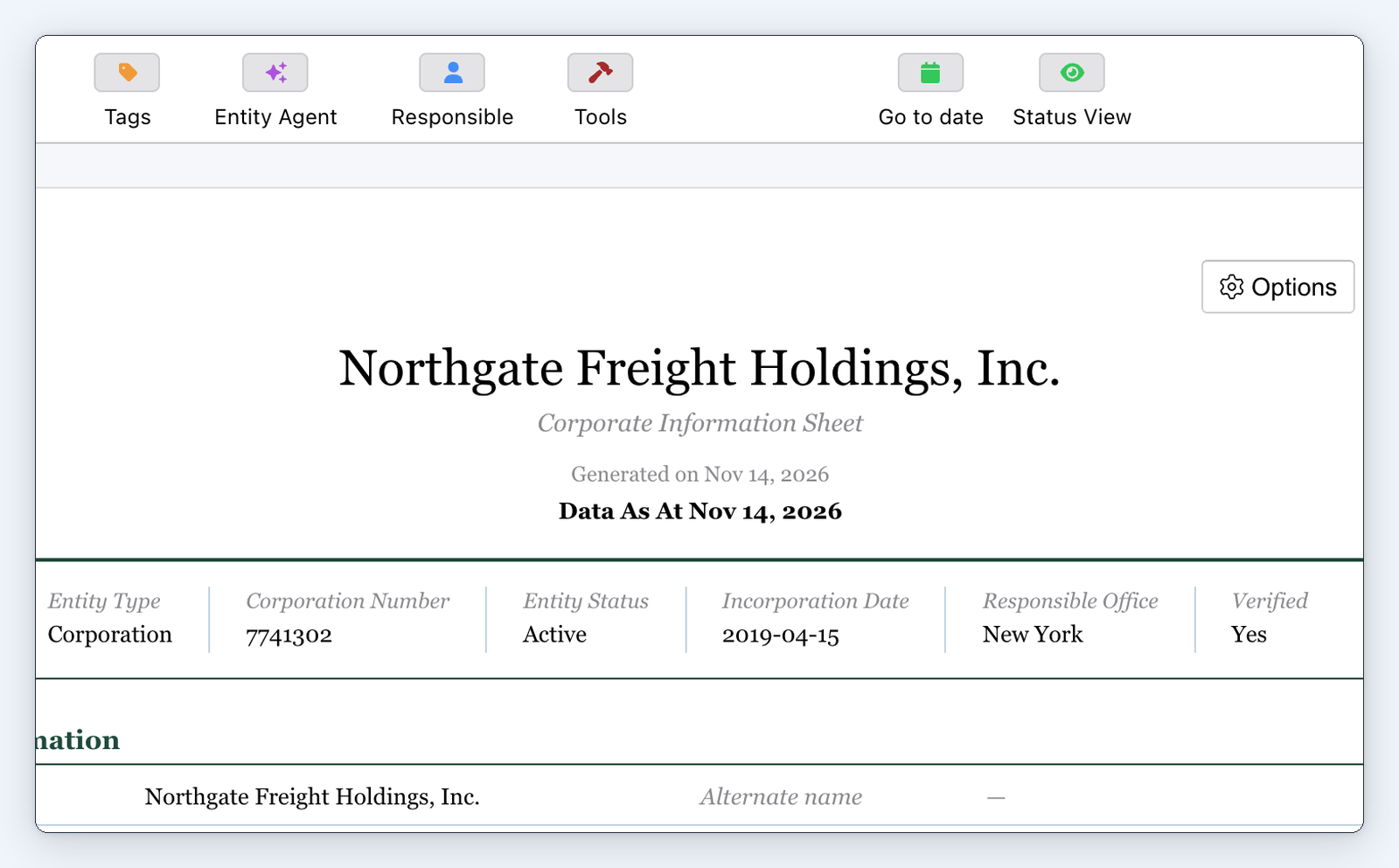
A Delaware corporation's "Summary" in the "Register" layout.
Every entity now has a fully customizable information sheet.
Open “Summary” on any entity, US or Canadian, to see its key facts, directors, officers, shareholders by share class and authorized capital laid out as a document. It shows the entity as at the date you’re viewing, so going back to an earlier date shows the entity as it stood then.
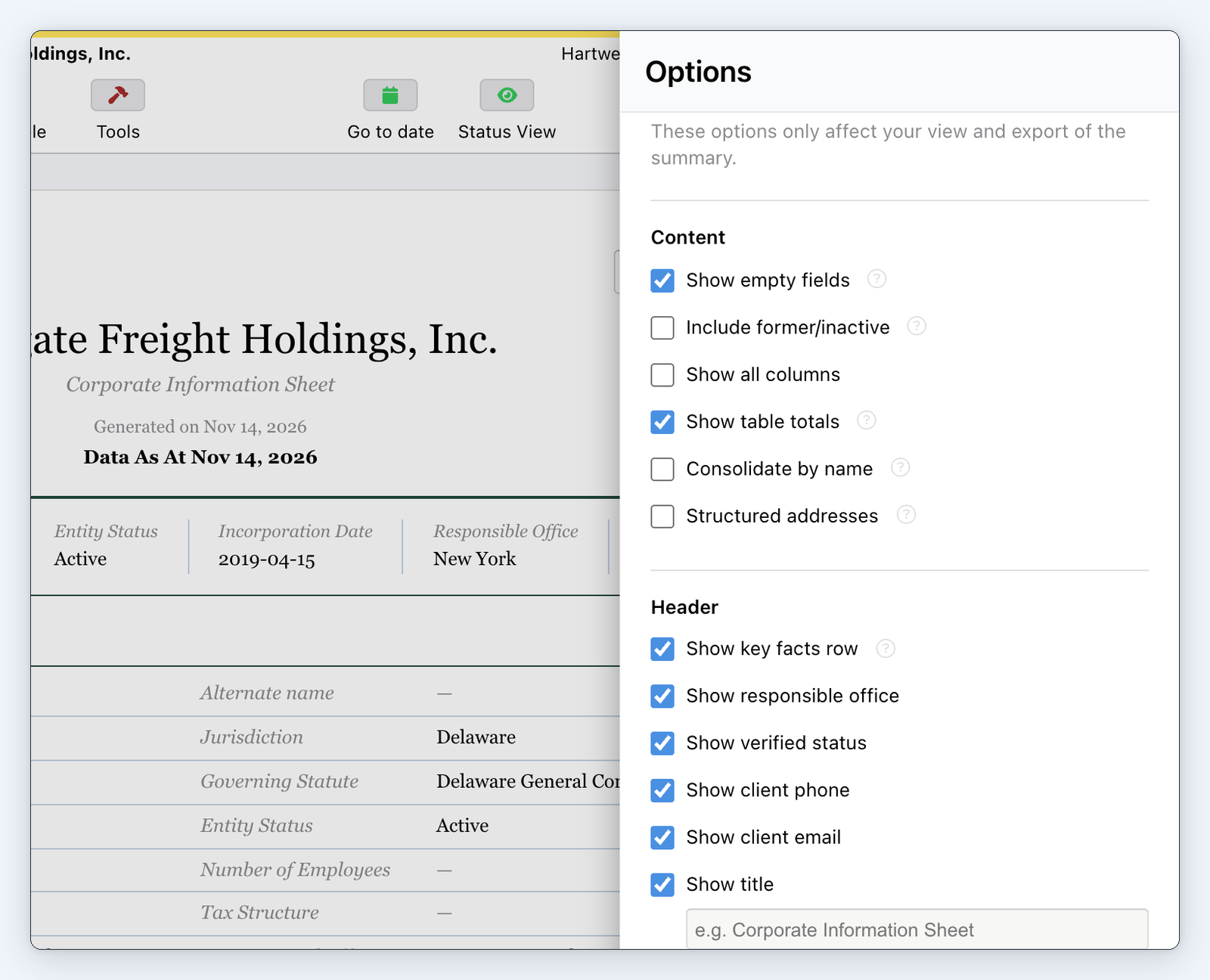
Choose which sections and fields appear and in what order, pick one of four layouts and set the title, colors, text sizes and columns. Pick the “Register”, “Document”, “Compact” or “Brief” layout.
"Options" for the "Summary", with its content and header settings.
“Export” saves it as a PDF or Word file and the “As Displayed” versions keep the layout you see on screen. Administrators set the defaults for the whole account and choose whether users can change their own view.
The Summary is read-only. You choose what it shows and how it looks, not the entity’s information.
For law firms: Send a client an information sheet of their entity in the layout your firm uses.
For in-house teams: Give colleagues a current information sheet for any entity in the group.
Reuse an address with "Address lookup"
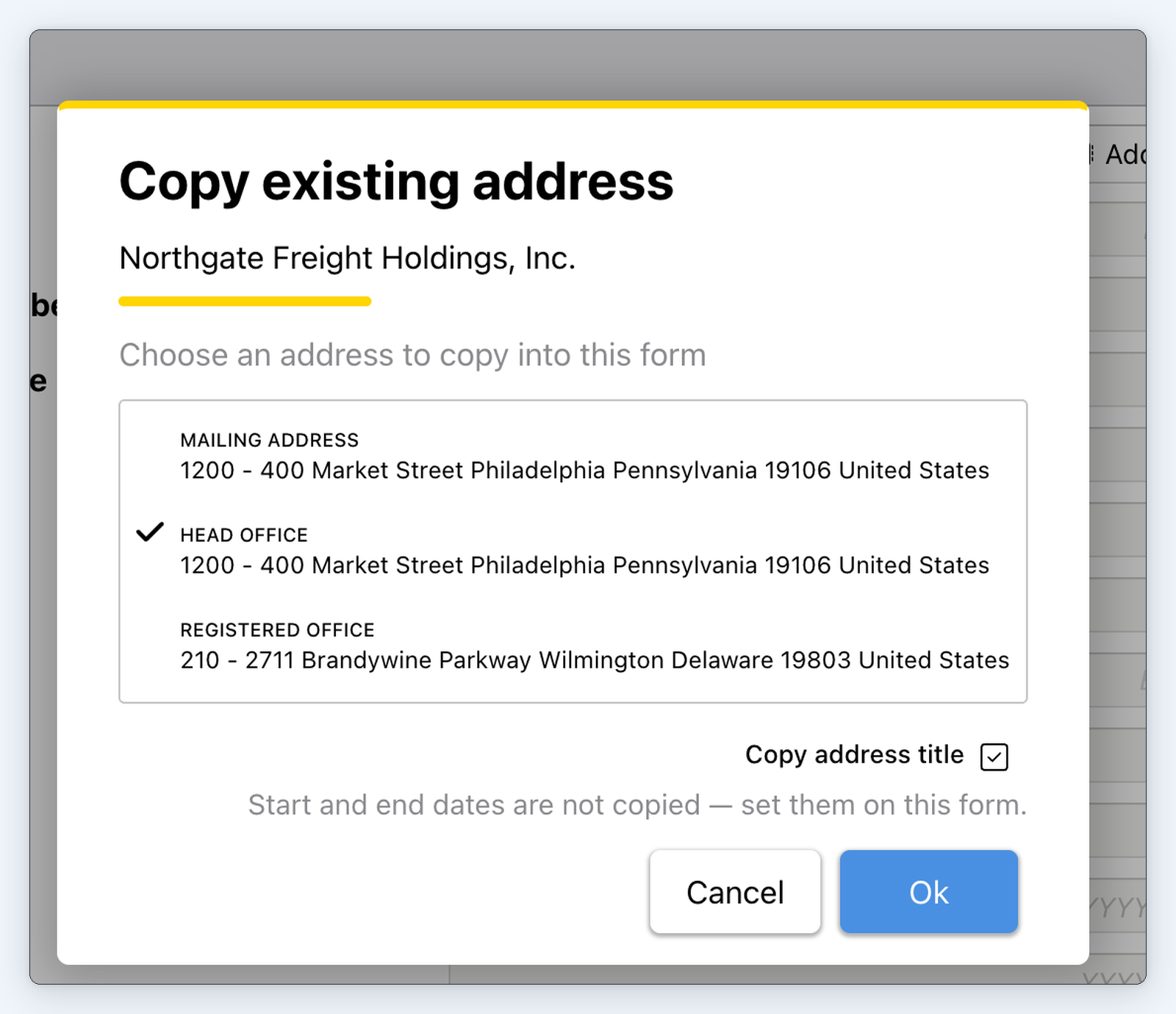
"Copy existing address" with the addresses MinuteBox already holds for an entity.
Typing the same address again for each person and entity takes time and invites mistakes. Address forms can now copy an address MinuteBox already holds for a person or an entity.
“Address lookup” opens “Copy existing address”. Pick a person or an entity and choose one of its addresses. The street, city, postal code and other details fill in.
The copy is independent, so later changes to the original don’t carry over. The title is copied unless you clear “Copy address title”. Effective dates are never copied.
Fewer steps for Canadian PPSA filings
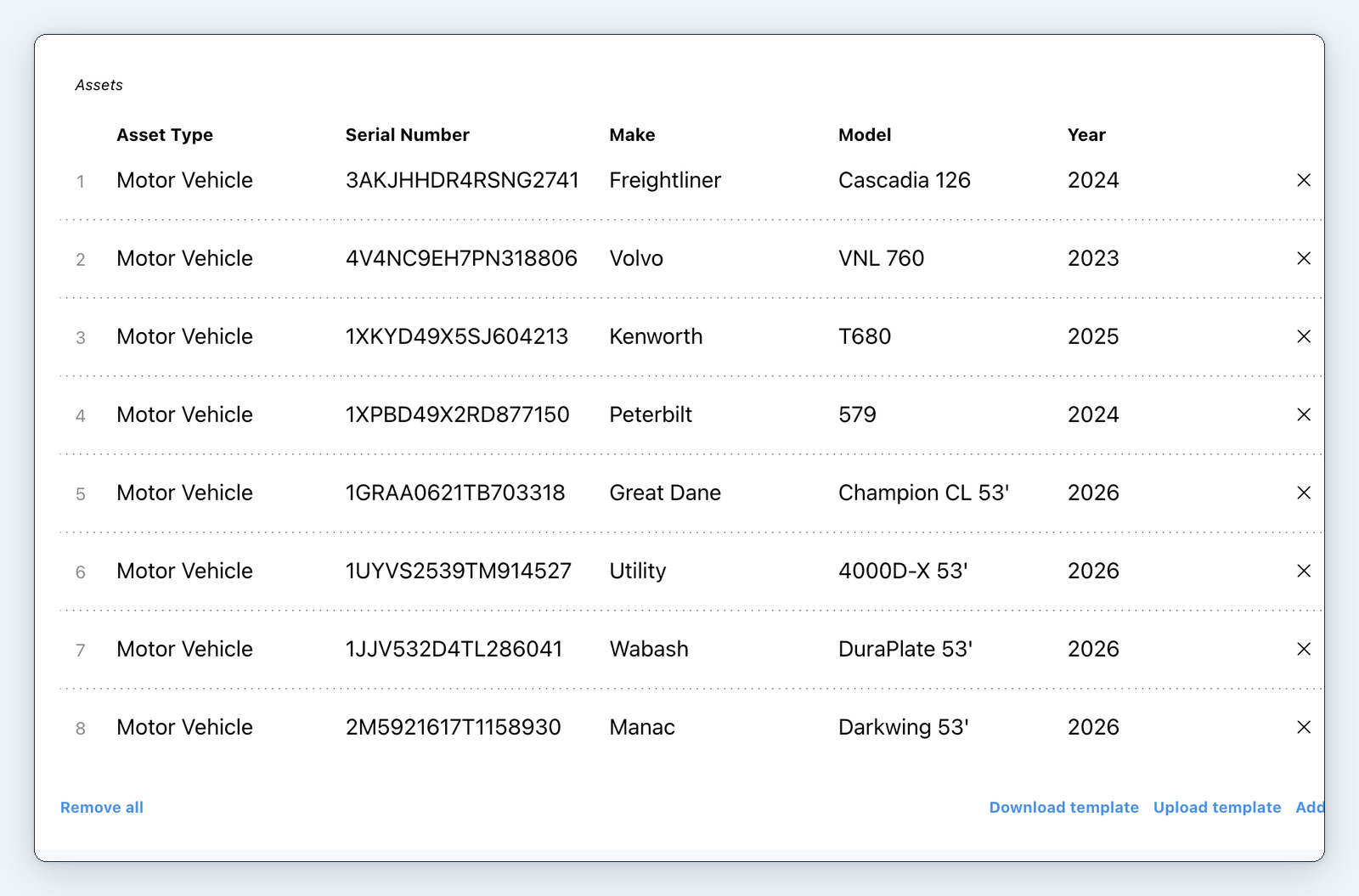
A PPSA registration's "Assets" table filled from an Excel template.
For Canadian PPSA registrations, serial collateral such as a fleet of vehicles can now come in from an Excel template instead of row by row.
“Download template” gets the template for the registration’s province and “Upload template” adds every row to the “Assets” table at once. Each province has its own template, with an “Asset Type” list limited to the types that province accepts. When you validate, the registry’s errors show on the row they belong to. Serial numbers come in exactly as entered and the registry checks them when you validate the submission.
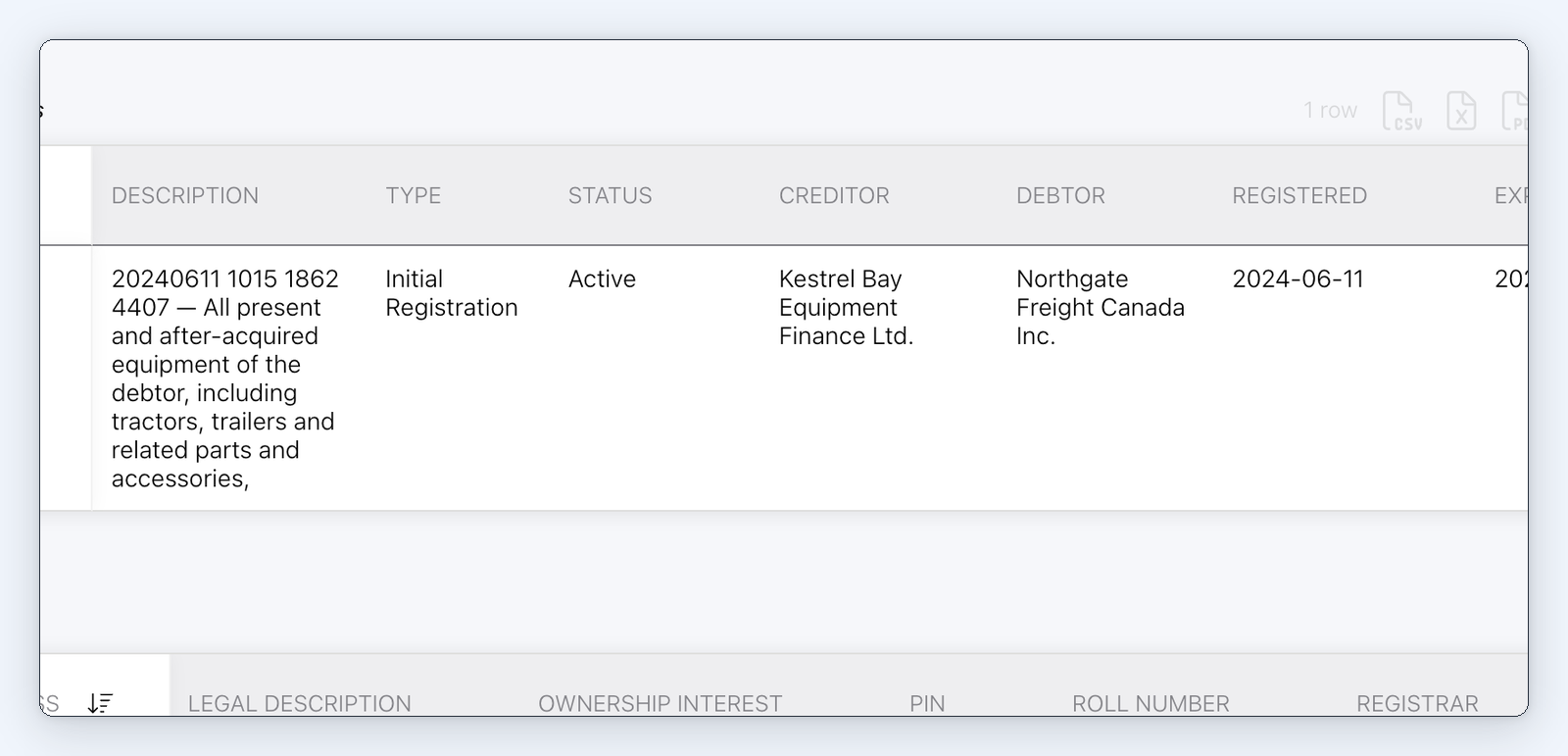
A lien in the entity's "PPSA Registrations" after "Add to Entity".
A completed Canadian PPSA registration, renewal or discharge now offers “Add to Entity”, which records the lien in the entity’s “PPSA Registrations” after you review the change. The lien comes in with its jurisdiction, registration number, general collateral, secured parties, debtors and registered and expiry dates. A renewal or discharge updates the lien’s row with its new status and date. Running it again never adds a duplicate.
PPSA registrations are part of MinuteBox’s integrated Registry Services module.
For law firms: Register a client’s fleet of vehicles in one upload.
Ontario Articles filings fill in from the entity
Ontario Articles of Amendment and Articles of Amalgamation now fill in more from the entity’s records.
Articles of Amendment fills in the Company Key and Official Email Address and a “Signing Officer or Director” drop-down fills in the signer. Articles of Amalgamation fills in its first directors from the entity’s people and asks for the signed agreement or resolution as one PDF under “Supporting Documents”.
Why this matters
The facts about an entity are already in MinuteBox. Entity Summary turns them into a sheet you can hand to a client or a colleague, in the layout you choose and as at the date you need. Address forms reuse an address MinuteBox already holds and Canadian PPSA filings take fewer steps, from a fleet of vehicles uploaded at once to a completed filing recorded on the entity.
There’s much more packed in this release and MinuteBox customers can read the full release notes in the Learning Hub.