[ New ]MinuteBox AI is here: draft from your precedents, run registry searches and update your records, with every change approved by you.Meet MinuteBox AI.Learn more →Launch announcement →Announcement →
Drafting a document is rarely the last step. It still has to be filed in the right place and a new entity still needs its share capital.
MinuteBox 2026.33, released November 26, lets MinuteBox AI file the documents it drafts into the entity’s records, offer the share capital after it creates an entity and ask when it can’t find the template you named. The MinuteBox AI updates serve corporate legal teams in the US, the UK and Canada. For Canadian filings, a PPSA registration copied to other jurisdictions now carries its assets and reports what each copy carried over.
Watch what’s new in MinuteBox 2026.33.
MinuteBox AI anticipates your next step
MinuteBox AI doesn’t stop at the task you gave it. It offers the step you’d take next and does it once you approve. Two examples ship this week. Both start where a request used to end.
File AI-drafted documents into the entity’s records
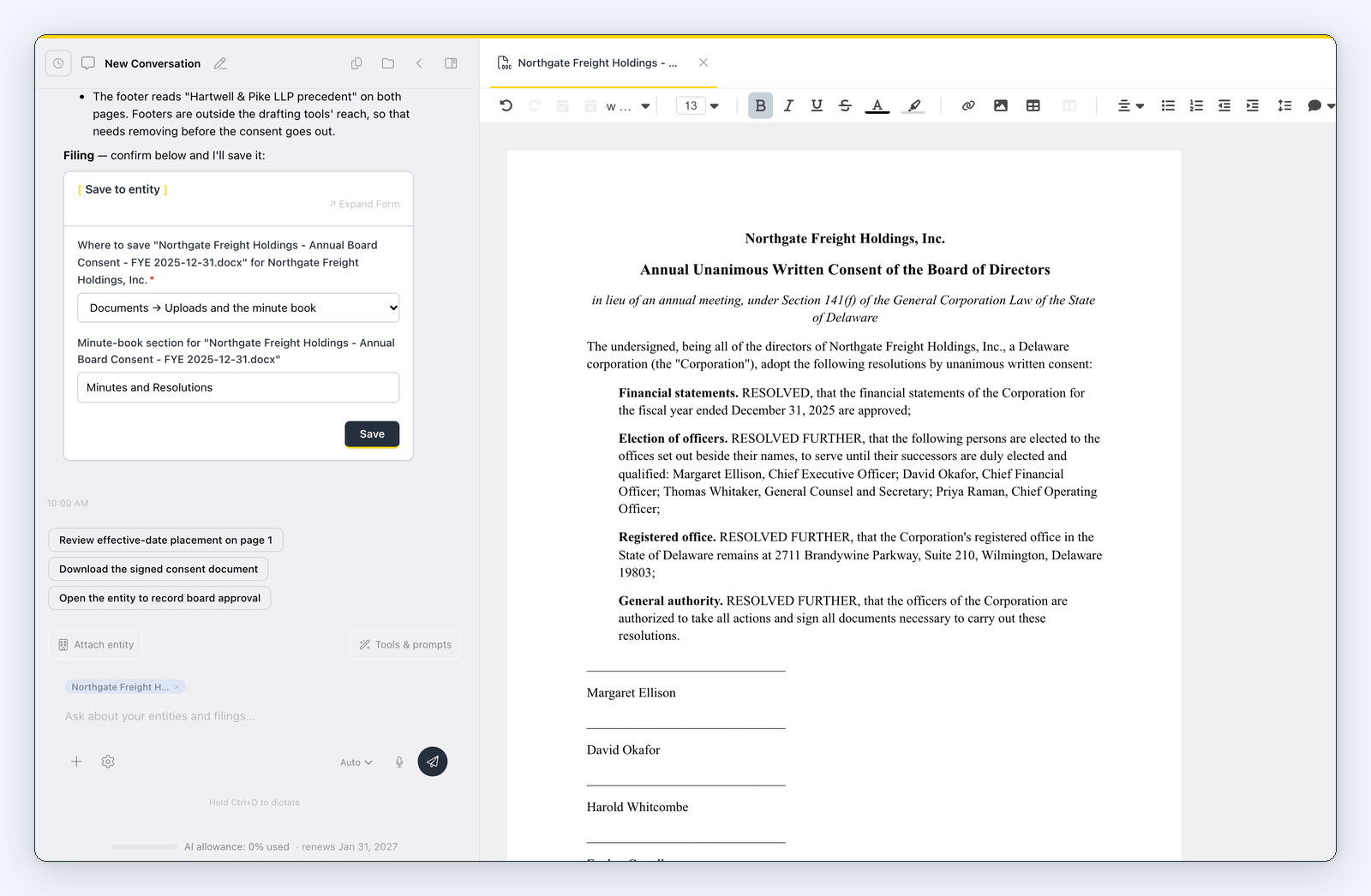
MinuteBox AI drafts an annual board consent and offers the "Save to entity" form below its answer.
When MinuteBox AI saves a document it drafted to an entity, it asks where the document goes and suggests a section in the entity’s records.
The form offers “Keep it in the room only”, “Documents → Uploads only” or “Documents → Uploads and the minute book”, with a suggested section such as “Minutes and Resolutions” that you can change. Nothing is filed until you submit the form. A section that doesn’t exist yet is created and a Word document is converted to PDF before it is filed. If you choose Uploads only, nothing goes into the records book.
If filing fails, the document stays in Uploads and the agent says so.
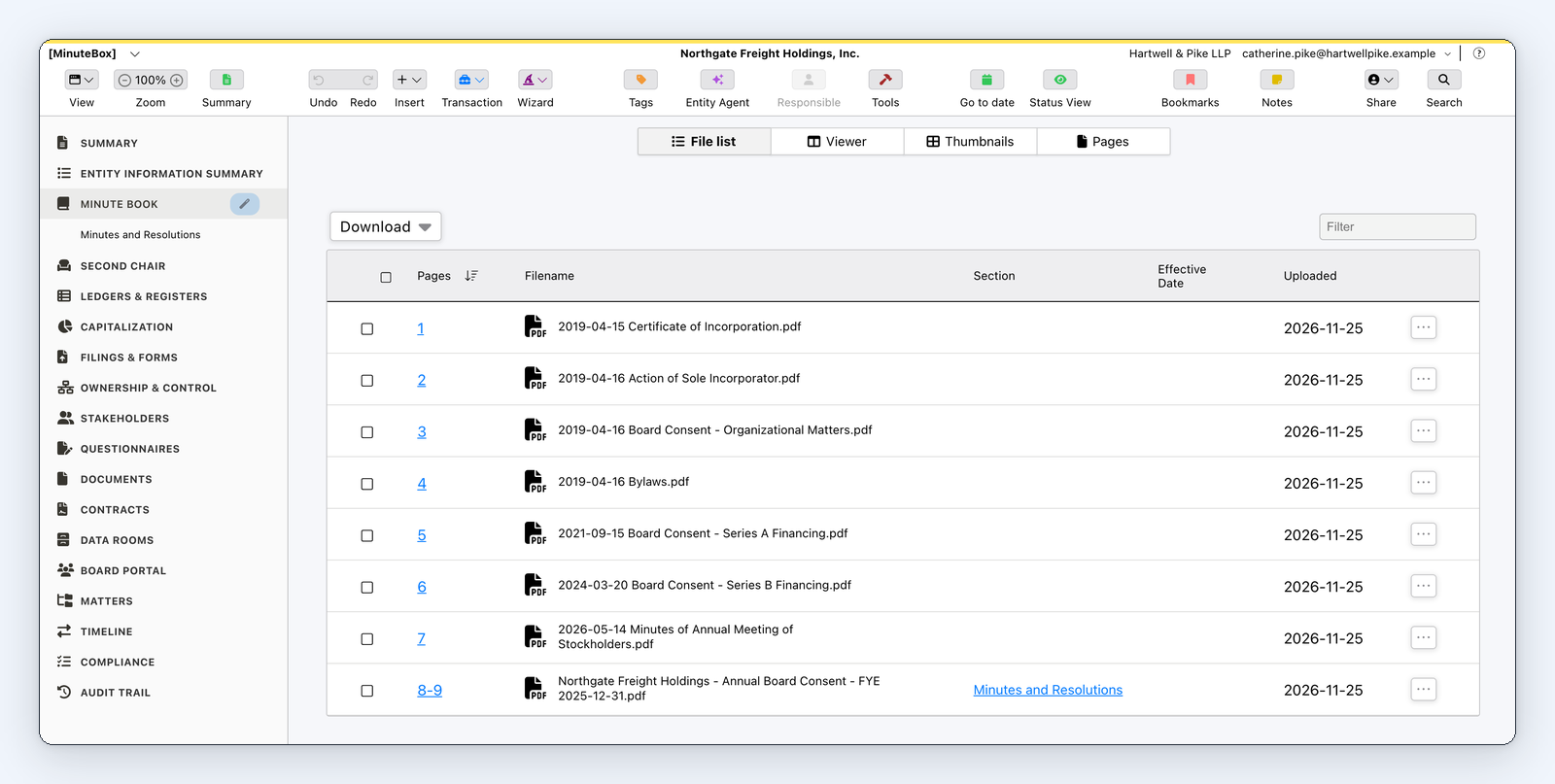
The saved consent in the entity's records under "Minutes and Resolutions".
For law firms: Resolutions drafted for a client land in that client’s records without downloading and uploading them again.
For in-house teams: A resolution drafted for a subsidiary is filed where the next person will look for it.
Add share capital right after creating an entity
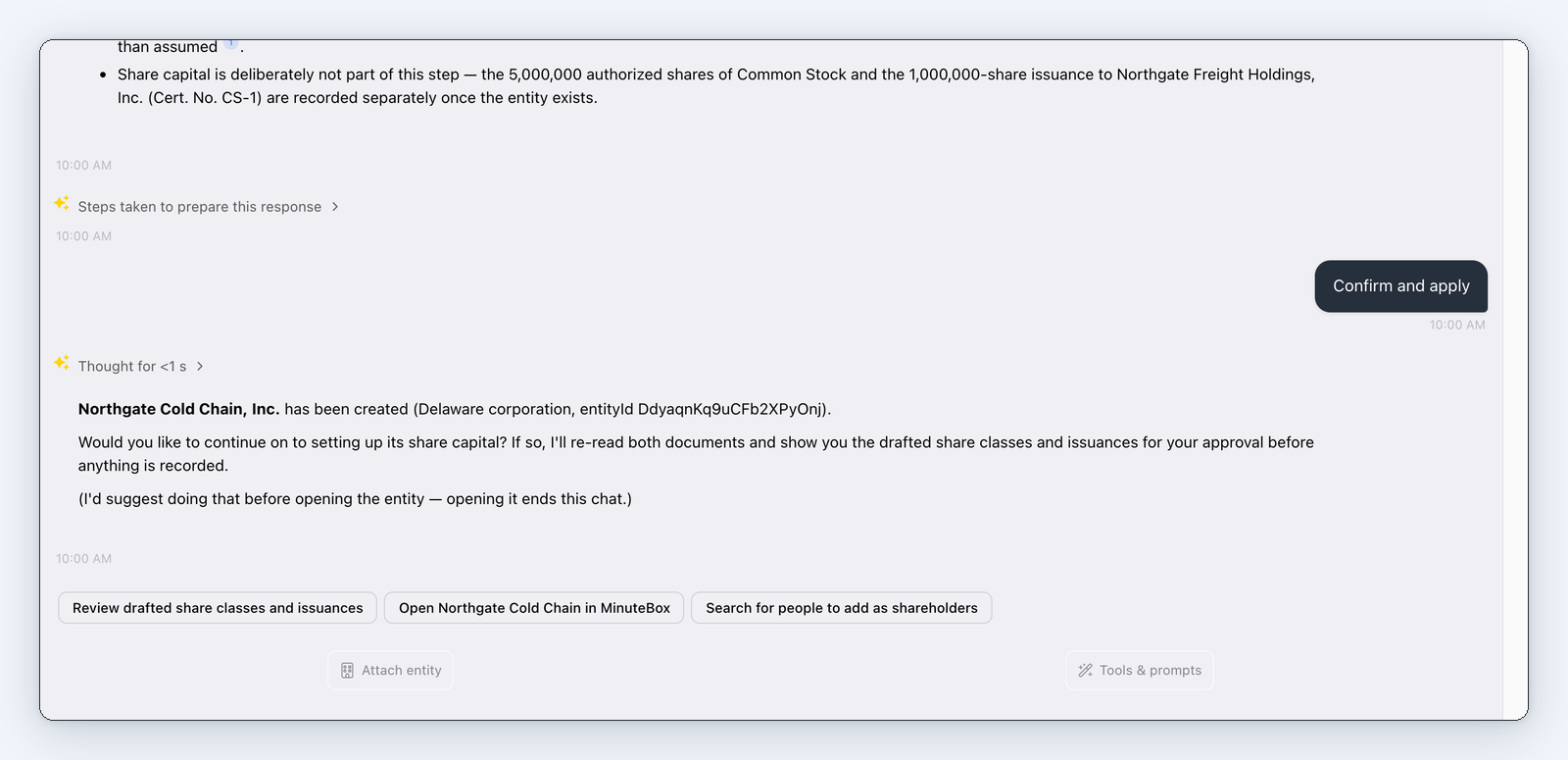
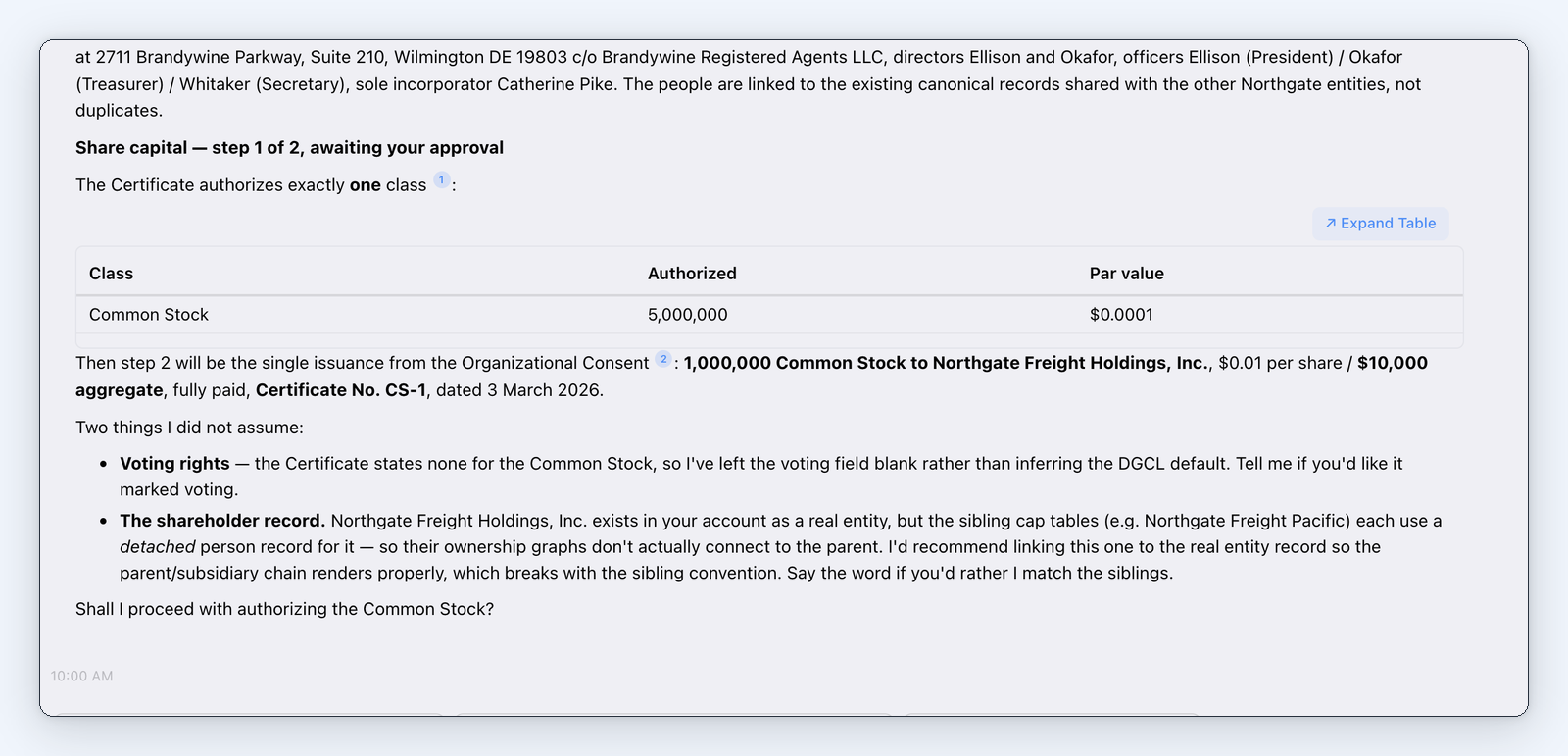
MinuteBox AI asks whether you want to add the new entity's share capital too.
Once MinuteBox AI has created the new entity in MinuteBox, it asks whether you want to add its share capital too. It asks before it offers to open the new entity.
Say yes and it shows the share classes and issuances it will add to the entity for your approval.
The share class MinuteBox AI will add, awaiting your approval.
Nothing is added to the entity until you approve. Say no and the capital is left for later.
For law firms: A new client entity and its share capital are set up in one conversation.
For in-house teams: A new subsidiary gets its share classes and issuances in the same conversation.
MinuteBox AI asks when it can't find your template
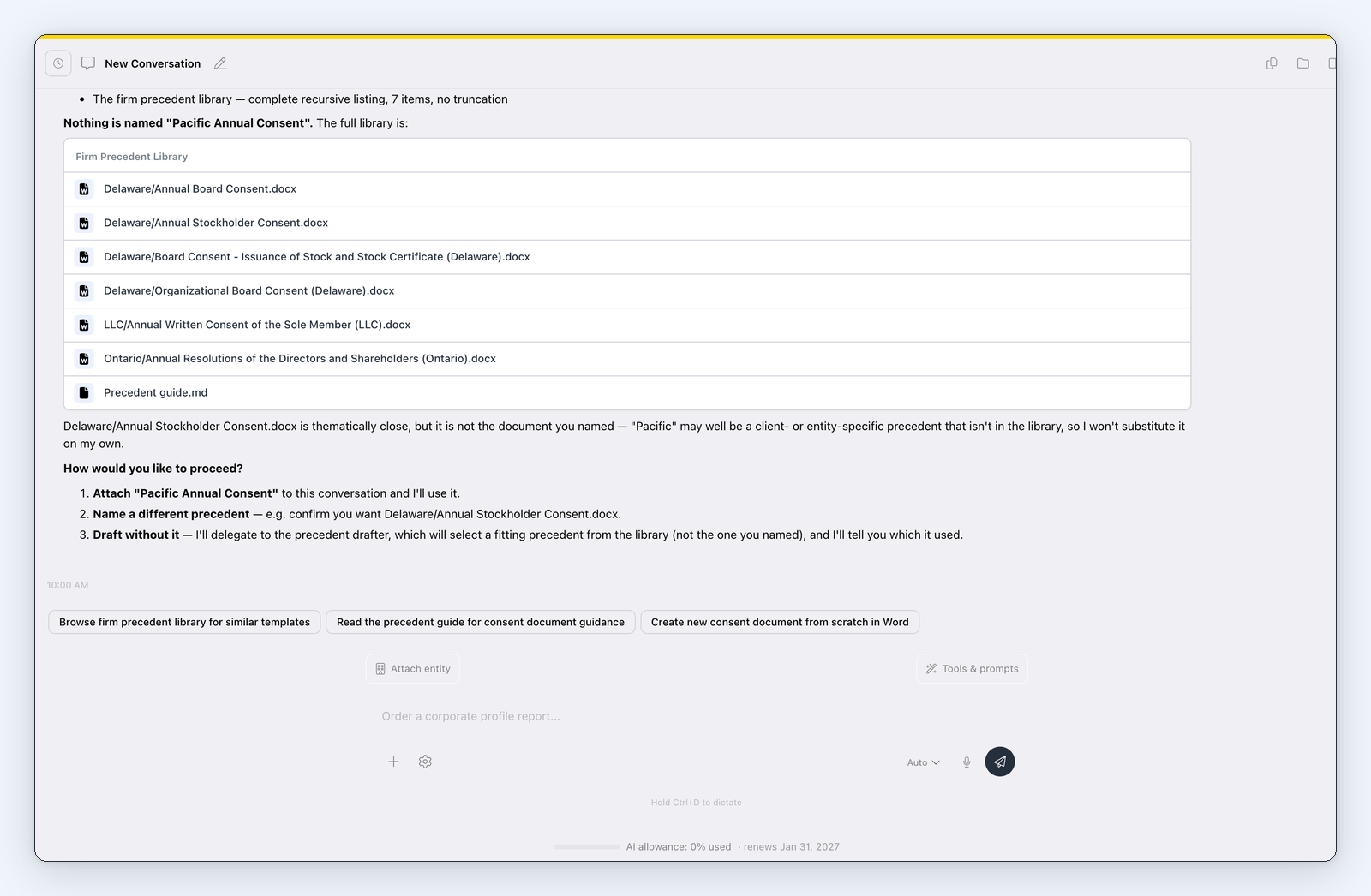
MinuteBox AI says where it looked and asks how to proceed.
Knowing the next step also means knowing when to stop. When you ask for an email or a document from a named template that MinuteBox AI can’t find, it stops and asks what to do.
It says where it looked. You can attach the file, name a different one or tell it to go ahead without it. If you tell it to go ahead, the draft starts with a line saying no template was used, which you delete before sending. You asked for your own template, so it doesn’t quietly draft from scratch.
PPSA copies now carry the assets
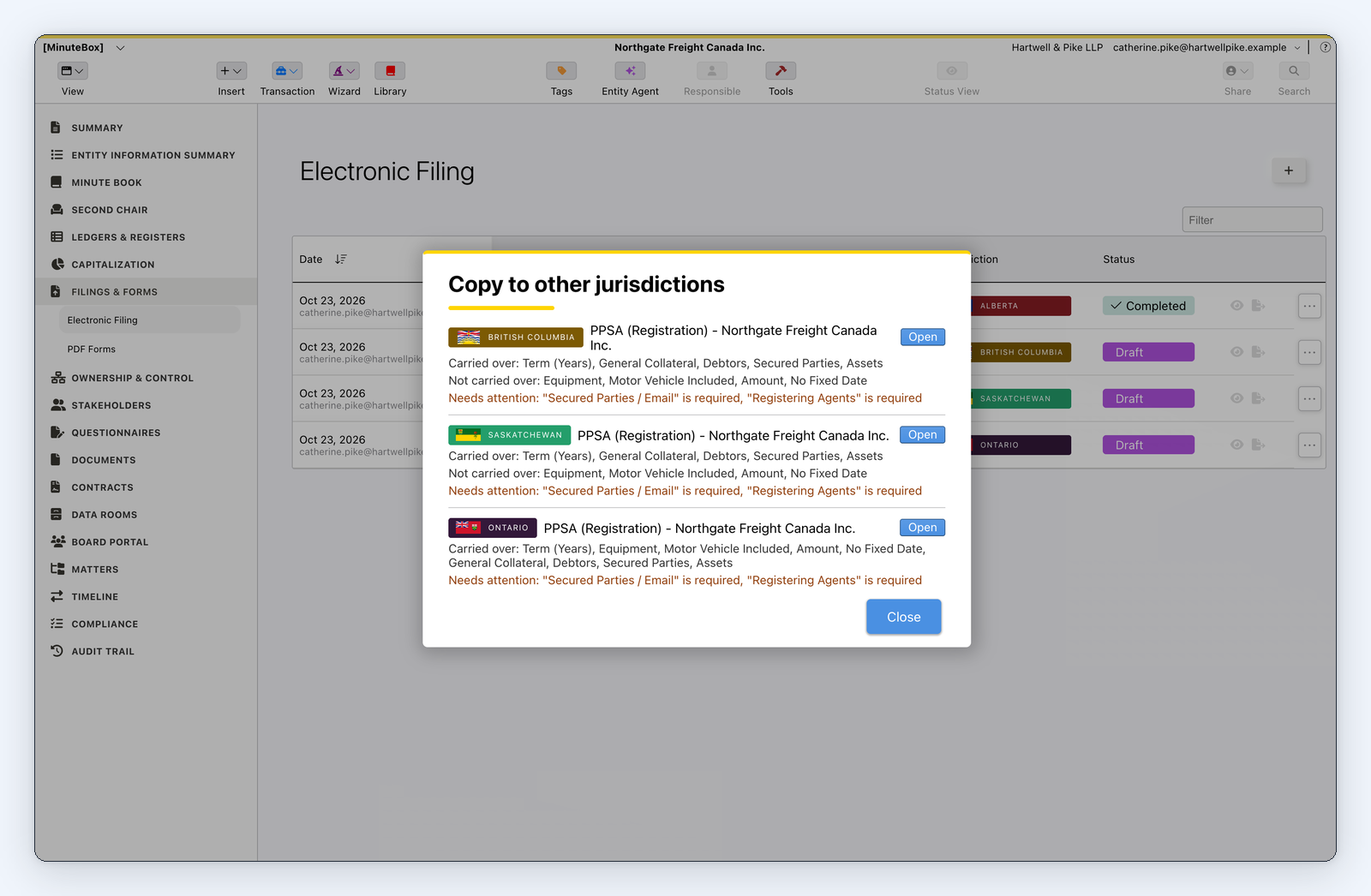
The results window with what each copy carried over.
For Canadian filings, a PPSA registration copied to other jurisdictions now brings its assets list along. When the other jurisdiction doesn’t offer an asset’s type, the row is kept and its type is cleared for you to pick.
The results window lists, for each copy, what was “Carried over”, what was “Not carried over” and what “Needs attention”. A copy that fails no longer stops the others. Each copy is still a draft you review, validate, submit and pay for.
PPSA registrations are part of MinuteBox’s integrated Registry Services module.
Why this matters
The work no longer stops where your request did. MinuteBox AI offers the next step, waits for your approval and tells you when it needs something from you. A drafted resolution ends up in the entity’s records, a new entity gets its share capital in the same conversation and a missing template is a question rather than a guess.
There’s much more packed in this release and MinuteBox customers can read the full release notes in the Learning Hub.