[ New ]MinuteBox AI is here: draft from your precedents, run registry searches and update your records, with every change approved by you.Meet MinuteBox AI.Learn more →Launch announcement →Announcement →
When a security interest has to be registered in several provinces, the same parties and collateral are entered again for each one.
MinuteBox 2026.32, released November 19, copies Canadian PPSA registrations to other jurisdictions, shows the whole corporate record on Ontario returns and adds patent lookup results to the entity. For Canadian filings, a PPSA registration can now be copied to other jurisdictions and start its own post search and Ontario returns show the whole corporate record. For every entity, US or Canadian, a patent lookup result can now be added straight to the entity.
Watch what’s new in MinuteBox 2026.32.
Copy PPSA Registrations to other Jurisdictions
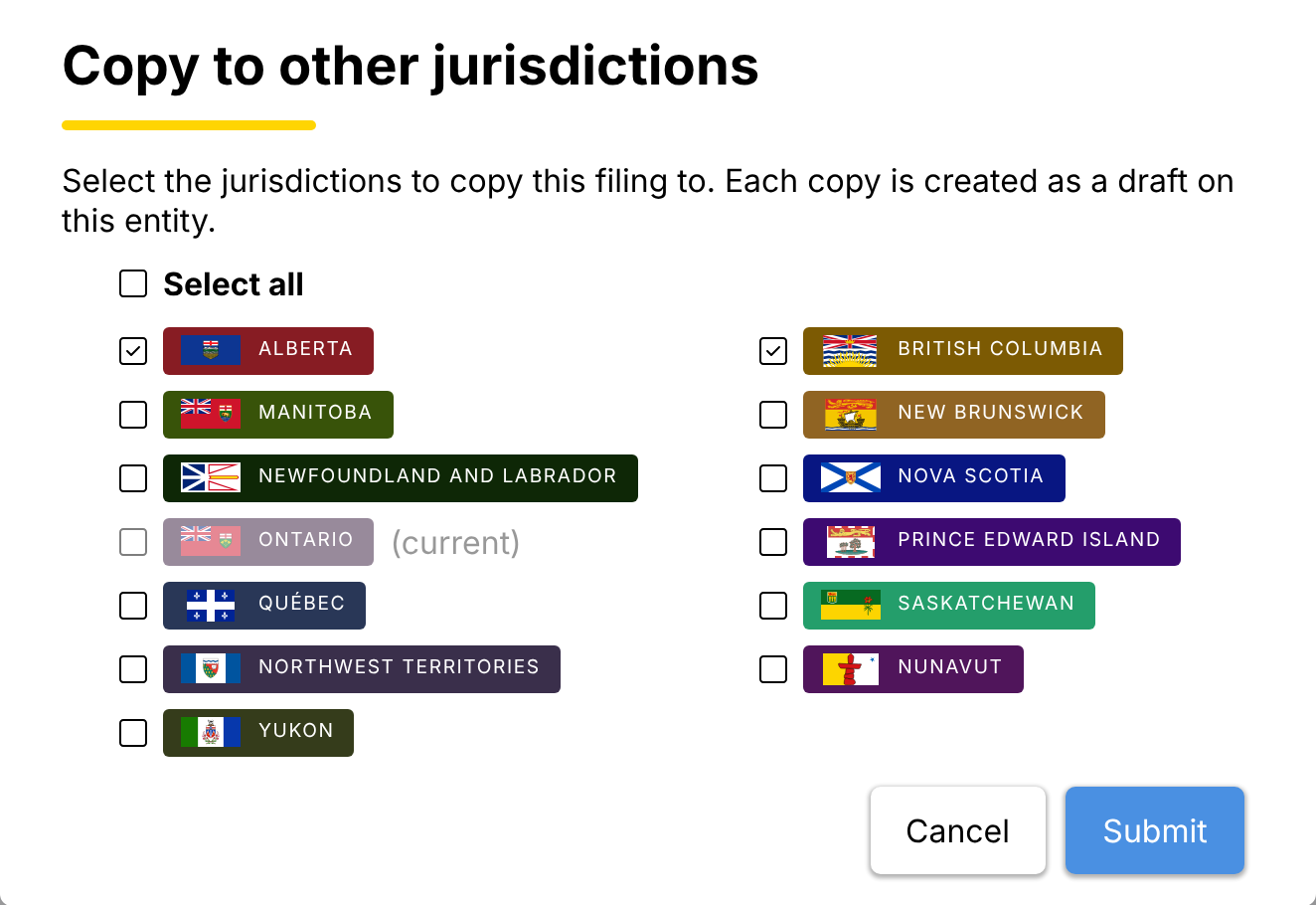
"Copy to other jurisdictions" with Alberta and British Columbia ticked.
One Canadian PPSA registration can now become a draft in each other jurisdiction you pick.
Choose “Copy to other jurisdictions” on a PPSA registration, tick the provinces and territories and MinuteBox creates a draft copy in each with the parties, collateral and term filled in. Copies carry the parties, collateral and term. Results and order details are not copied.
It works from the entity’s filings and from Searches & Filings, where the copies join the open order or a new order you name. A jurisdiction that already has a registration for the same debtor is greyed out, so you don’t make it twice.
Each copy is a draft, so you review, validate and submit each one as usual.
Start a post search from a completed PPSA registration
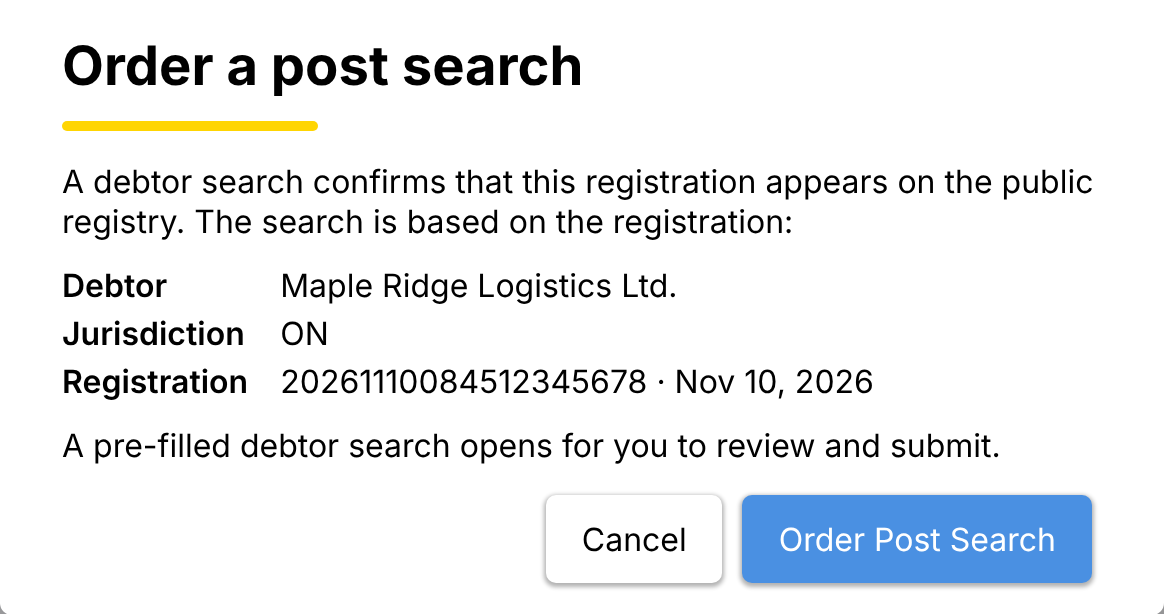
"Order a post search" with the debtor, jurisdiction and registration.
A completed Canadian PPSA registration now offers “Order Post Search”, which starts a debtor search filled in from the registration. The search confirms the registration appears on the public registry without re-entering its details. On an entity the search opens as a draft to review and submit. It is billed as usual when submitted.
PPSA registrations are part of MinuteBox’s integrated Registry Services module.
For law firms: Register a lender’s security interest across the provinces where the borrower operates without entering it again.
Ontario returns show the whole corporate record
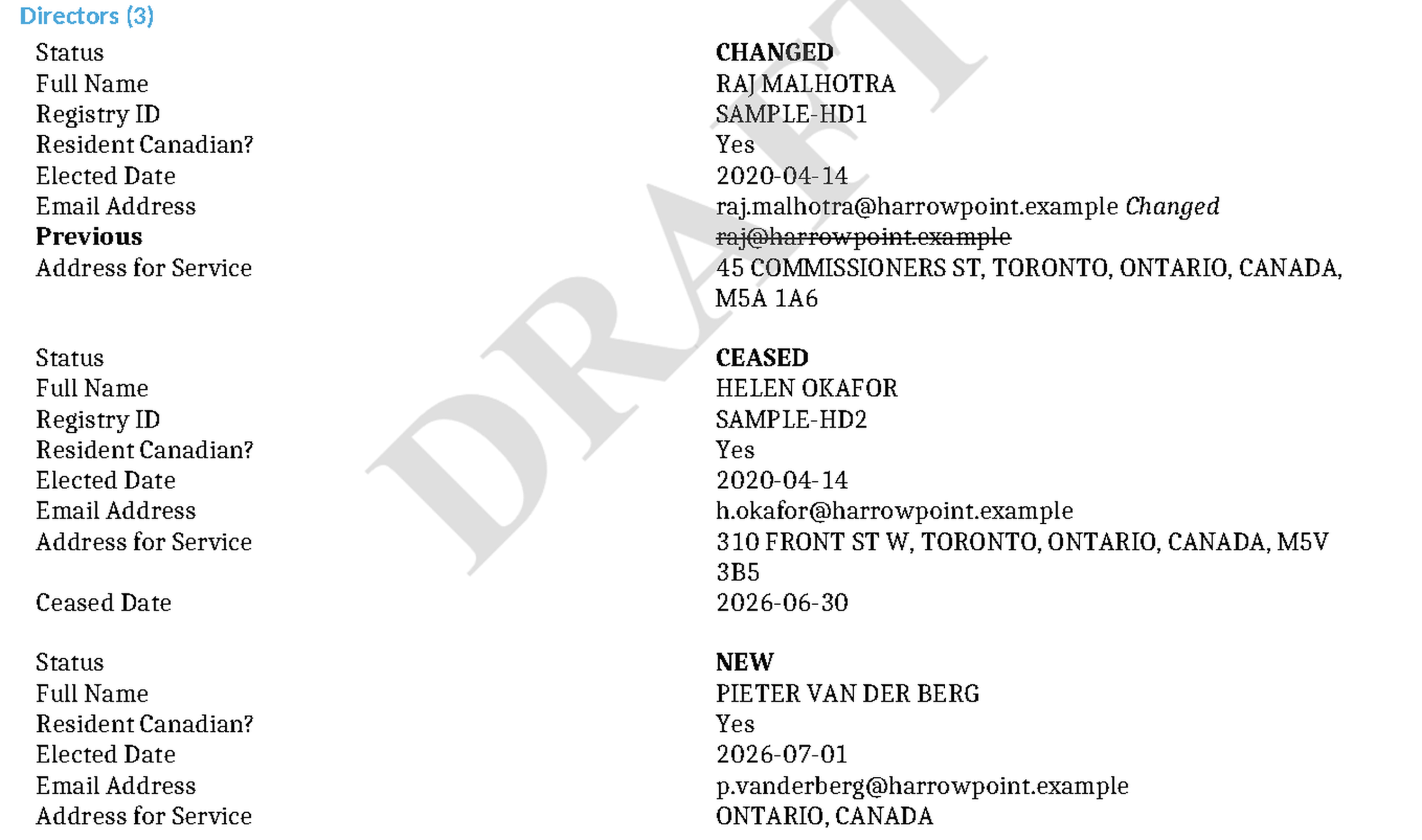
An Ontario Annual Return's draft PDF with new, ceased and changed people.
The draft PDF of an Ontario Annual Return, Initial Return or Notice of Change now lists every director and officer as new, ceased, changed or unchanged.
Anything that changed shows the previous value under the new one, so you can check the whole return before you file it. Once the Ontario Business Registry accepts the filing, a MinuteBox Filing Summary with the transaction ID and filing date is saved in its “Result Files”.
Add a patent lookup result to the entity
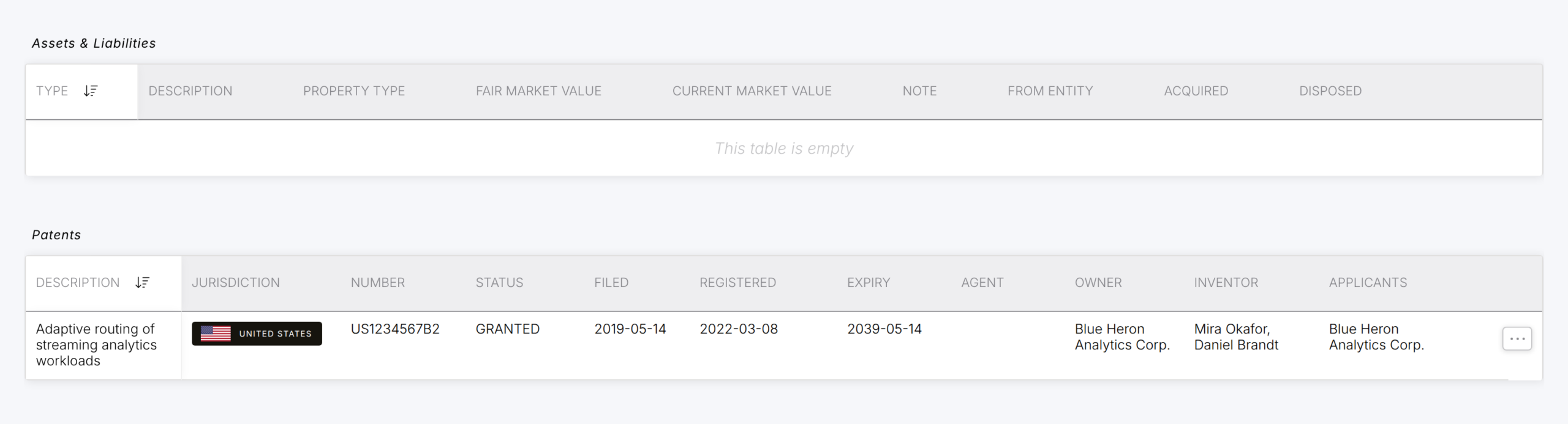
The patent in the entity's "Patents" list after "Add to Entity".
A completed patent lookup now offers “Add to Entity”, which saves the patent’s number, title, status, dates and owners to the entity’s “Patents” list. It works for US and Canadian entities alike and running it again updates the same patent instead of adding a second one. You confirm the row before anything is written. The PDF report still downloads as before.
Why this matters
Registering the same security interest in several provinces no longer means typing it again for each one, and the check that it appears on the registry starts from the registration itself. Ontario returns show the whole record you are about to file and a patent found in a lookup lands in the entity’s records without re-keying.
There’s much more packed in this release and MinuteBox customers can read the full release notes in the Learning Hub.
See PPSA filings in MinuteBox on your own entities.